
How to manage google review: Be a Pro in 2025
Why Google Reviews Can Make or Break Your Business
Learning how to manage google review effectively is crucial because reviews are the digital word-of-mouth that drives modern business. A solid strategy involves four key steps: monitoring all reviews, responding promptly, encouraging satisfied customers to leave feedback, and reporting fake or inappropriate reviews.
Here’s your quick action plan:
- Set up Google Business Profile and verify your business
- Monitor reviews daily through your dashboard or review management tools
- Respond within 24-48 hours to all reviews with personalized, professional replies
- Request reviews from happy customers using direct links or QR codes
- Flag inappropriate reviews that violate Google’s content policies
- Use reviews as marketing assets on your website and social media
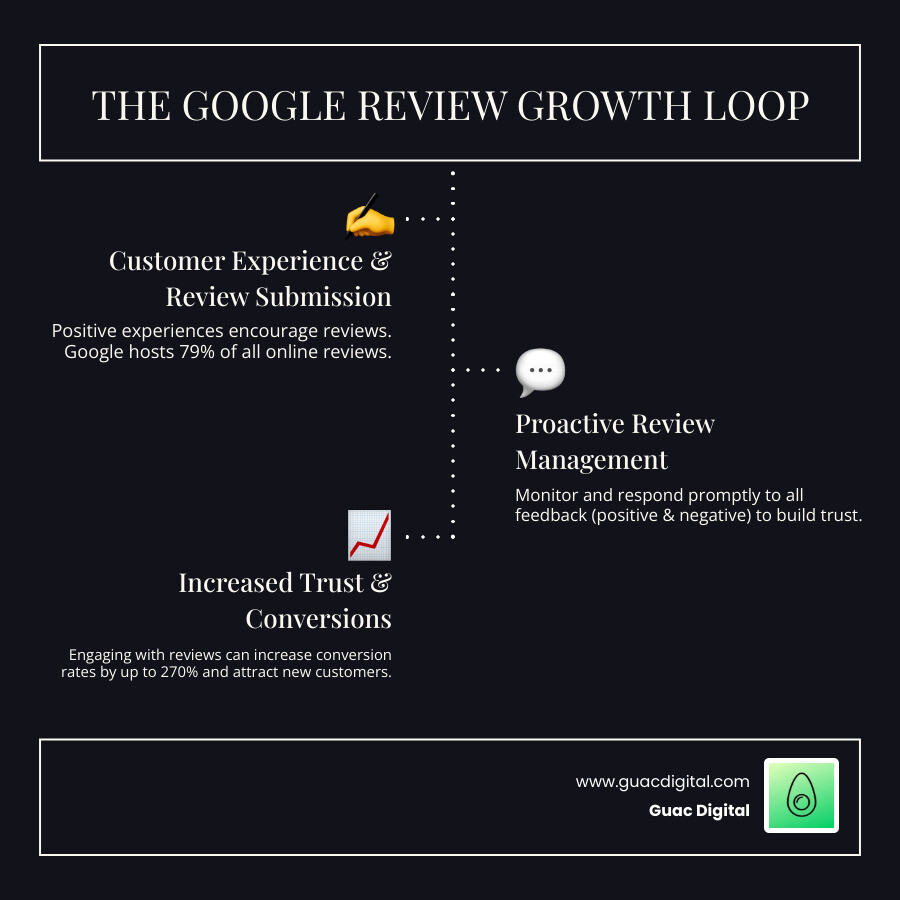
Like 93% of consumers, you probably check online reviews before trying a new business. Those star ratings and comments are powerful drivers that can increase conversion rates by up to 270%.
Google reviews account for 79% of all online reviews, making them a highly influential factor in customer decisions. Since 92% of customers read at least two reviews before making a purchase, your Google review management strategy directly impacts your bottom line.
However, while 88% of consumers are likely to engage with a business if the owner responds to all reviews, many businesses still ignore this goldmine of customer engagement and local SEO benefits.
At Guac Digital, we’ve seen how strategic review management builds stronger customer relationships and drives business growth. Let us show you exactly how to turn your Google reviews into a powerful growth engine.
Why Google Reviews Are Your Business’s Secret Weapon
Google reviews create powerful social proof for your business online, telling potential customers you’re worth their time and money. In fact, 73% of consumers trust a local business more if it has positive reviews, and an overwhelming 88% trust online reviews as much as personal recommendations.
When you learn how to manage google review systems effectively, you directly impact your bottom line. Research shows that displaying reviews can increase conversion rates by 270%.
Customer trust and credibility are the foundation of why Google reviews matter. In our digital-first world, your online reputation is often the first impression. By actively managing reviews—responding to praise and addressing concerns professionally—you build massive credibility in real-time.
Beyond customer perception, Google reviews are a crucial component of your local SEO strategy. Google’s algorithm rewards businesses with active, legitimate review profiles.
When someone searches for a business like yours, Google considers review signals as 15% of local pack ranking factors. The Local Pack—those top three business listings in local searches—is prime real estate. More positive reviews often mean higher rankings and more visibility.
At Guac Digital, we know that understanding what is Search Engine Optimization includes mastering review management. Google’s algorithm examines the legitimacy, recency, and relevance of your reviews. The more quality reviews you accumulate, the better your chances of appearing prominently in local search results and Google Maps.
Your Google reviews also offer invaluable direct customer insights. Every review is free market research, telling you what customers love, what frustrated them, and what would improve their experience.
This valuable customer feedback becomes your roadmap for improvement. Spot trends in praise to double down on strengths. Notice recurring complaints to identify your next priority fix. This is business intelligence that helps you make smarter decisions.
Google reviews are a powerful business tool that builds trust, boosts visibility, and provides actionable insights. When you master review management, you turn every customer interaction into a potential marketing asset.
The Foundation: Setting Up and Encouraging Reviews
Your Google Business Profile is your digital storefront and the foundation for your five-star reputation. Before mastering how to manage google review responses, you must set it up correctly.
Google Business Profile (GBP) is a free service that acts as your business’s home base on Google. Without a properly set-up GBP, you are nearly invisible in local search results and on Google Maps.
Setting up your profile is straightforward but requires attention to detail. After creating your account, Google will verify your business, usually by sending a postcard with a verification code. Once verified, fully optimize your profile.
Your NAP consistency (Name, Address, Phone number) is crucial. Ensure these details match exactly across your website and all online listings. Inconsistent information is a red flag for Google and can hurt your local search rankings. Understanding Local SEO for Small Business strategies is a significant advantage here.
Add high-quality photos, complete business hours, and a detailed description of your services. A complete profile appears more trustworthy to both Google and potential customers.
How to Proactively Get More Google Reviews
The next step is proactively turning happy customers into advocates. You need a strategy that makes leaving a review natural and effortless.
Timing is everything. Ask for a review right after a positive interaction, such as after completing a project or during a follow-up call. A customer who just had a great experience is more inclined to share it.
The key is making it ridiculously easy for customers to leave reviews. Share a link or QR code to request reviews directly from your GBP dashboard. These tools eliminate friction for customers who want to help.
- Email requests work well for service-based businesses. Include a direct review link in thank-you emails with a simple, genuine ask.
- SMS requests are highly effective. A quick text with a direct link is convenient for customers on the go.
- In-person requests are powerful for retail or hospitality. Train your team to recognize satisfied customers and make a conversational ask.

One critical rule: avoid offering incentives for reviews. Google’s policies discourage this, and you want authentic reviews that reflect genuine experiences, not purchased praise.
The best requests are personal and authentic. Acknowledge the customer relationship and express genuine interest in their feedback. When customers feel valued, they are more likely to share their positive experience.
How to Manage Google Reviews: Responding Like a Pro
Responding to reviews turns feedback into conversations. Whether the review is positive or negative, your response shows the world how you treat customers, which is key to how to manage google review success. Since 88% of consumers are likely to engage with a business if the owner responds to all reviews, ignoring them is a missed opportunity.
Timeliness is everything. Aim to reply within 24-48 hours. Quick responses show you are engaged and value customer feedback. Every potential customer is watching how you handle reviews.
Your replies should be consistent with your brand voice—clear, helpful, and polite. For technical help, Google offers a video guide: How to read & reply to reviews on Google [1:46].
Crafting the Perfect Response to Positive Reviews
Positive reviews deserve more than a generic “thanks.” Personalization is your secret weapon. Show customers you read what they wrote.
Thank your customer by name and mention specifics from their review. If they praised a team member or a specific product, acknowledge it. This shows you care and also weaves in relevant keywords, which can boost your How to Improve SEO efforts.
A great response combines genuine gratitude with specific details. For example: “Thanks so much, Jennifer! We’re thrilled you enjoyed our weekend brunch special and that Mike made your experience memorable. We’ll be sure to let him know!”
Keep responses concise but warm to build a relationship.
How to professionally handle and respond to negative Google reviews
Negative reviews are opportunities to build trust. A study by Harvard Business Review found that replying to customer reviews results in better ratings. Potential customers want to see how you handle problems.
Your approach shows your business’s character. Follow these steps:
- Acknowledge and apologize: Start with a sincere apology, such as, “We’re truly sorry to hear about your disappointing experience.”
- Show empathy: Acknowledge their frustration without admitting fault. Show you understand their feelings.
- Never get defensive: Resist the urge to argue. Your public response is for all future customers.
- Take the conversation offline: Offer a private channel for resolution. “We’d like to learn more about this. Please contact our manager directly so we can make this right.” This shows you care about solving the problem, not public arguments.
- Own your mistakes: If your business was at fault, admit it honestly. Accountability builds trust faster than excuses.
Identifying and Reporting Fake or Inappropriate Reviews
Not every bad review can be removed, but you can report those that violate Google’s policies. Google’s review policies protect against spam, hate speech, personal attacks, off-topic content, and fake reviews. A review that is clearly off-topic or contains profanity is a policy violation.
Flagging inappropriate reviews is straightforward in your Google Business Profile. Find the three-dot menu next to the review and select “Report review,” then choose the specific violation.
For complex cases, Google provides the review tool to track reports and submit appeals. The process requires patience, but clear documentation of policy violations is key. Our guide on How to Effectively Remove Negative Reviews from Google provides more detail.
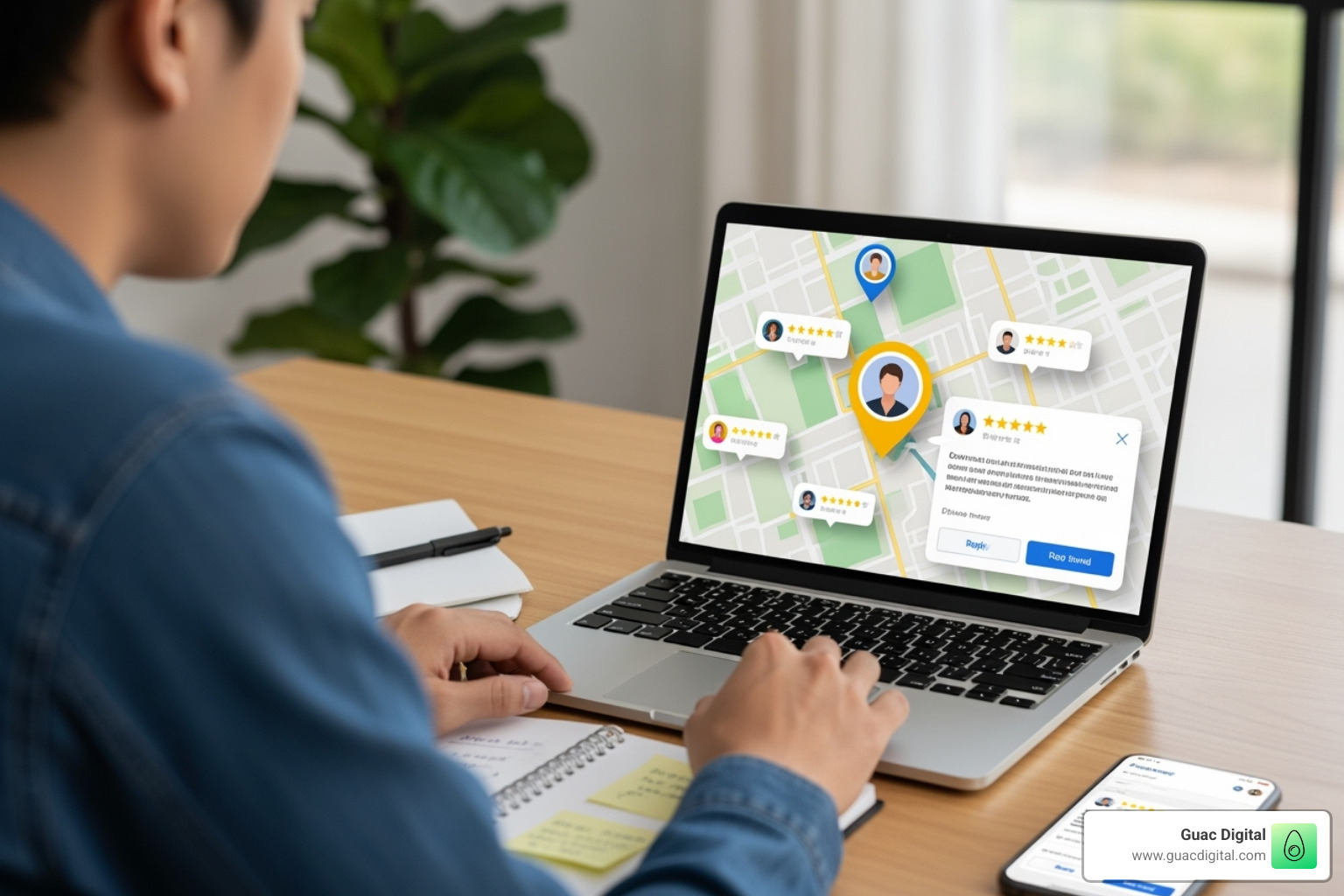
Your goal is not to eliminate all negative feedback but to maintain the integrity of your profile by removing content that violates Google’s guidelines for reviews. Authentic negative reviews, handled professionally, can strengthen your credibility.
Scaling Up: Advanced Google Review Management
Managing reviews for multiple locations presents a unique challenge: maintaining a consistent brand voice across all responses while handling a higher volume of feedback. According to research, 91% of consumers say their overall perception of big brands is impacted by reviews of local branches. A single location’s poor review management can harm your entire brand’s reputation.
Logging into each Google Business Profile individually is time-consuming and inconsistent for growing businesses. This is why many find the Benefits of a Local SEO Agency Near You valuable, as experts who understand the complexities of multi-location management can be a game-changer.
Tools and Automation for Efficient Review Management
The right technology can transform your how to manage google review process into a streamlined operation. Review management platforms provide a centralized command center to monitor all locations at once.
Look for tools with these key features:
- Multi-channel support: Pulls in feedback from Google, Facebook, Yelp, and other platforms into one dashboard.
- AI-powered replies: Drafts professional responses that you can quickly personalize and send.
- Sentiment analysis: Analyzes reviews to identify recurring themes and customer pain points across all locations.
- Robust reporting: Provides deep insights into each location’s performance, highlighting areas for operational improvement.
Popular platforms like Birdeye, Podium, Yext, Reputation, and ReviewTrackers offer these features, though each has different strengths. When evaluating these tools, consider factors like ease of use, integration capabilities, and pricing structure that fits your business model.
Leveraging Reviews for Marketing and Business Intelligence
Your Google reviews are an untapped goldmine of marketing content and business insights. Smart businesses put them to work.
- Showcase social proof: Display your best reviews on your website to build trust and boost conversions. These testimonials are also perfect for your social media campaigns, as real customer stories outperform generic ads.
- Perform competitive analysis: Analyze reviews of your competitors to understand their strengths and weaknesses. This intelligence helps you identify market opportunities.
- Identify product improvements: Use customer feedback as a 24/7 focus group. Complaints reveal hidden problems, while praise highlights what you should double down on.
This approach is central to a data-driven marketing strategy. You make decisions based on real customer feedback, which drives sustainable growth and keeps you ahead of the competition.
Frequently Asked Questions about Managing Google Reviews
Let’s tackle the most common questions we hear from business owners who are learning how to manage google review systems effectively. These are the real concerns that keep entrepreneurs up at night!
Can I delete a negative Google review myself?
Here’s the straight answer: No, you cannot directly delete a negative Google review yourself. I know it’s frustrating when you see an unfair review, but Google doesn’t give businesses the power to remove reviews just because we don’t like them.
The only way a review disappears is if it violates Google’s content policies. We’re talking about reviews that contain spam, hate speech, off-topic content, or conflicts of interest. If someone leaves a review about your plumbing service complaining about your “terrible pizza,” that’s clearly off-topic and can be reported.
When a review does violate policies, you can report it through your Google Business Profile. Google will then review it and decide whether it meets their removal criteria. Just remember – a harsh but honest review about poor service can’t be removed, even if it hurts to read.
How long should I wait before responding to a review?
The golden rule is 24-48 hours maximum. Think about it from your customer’s perspective – when they take time to leave feedback, they expect acknowledgment. Waiting a week to respond sends the message that you don’t really care about their experience.
Quick responses show you’re actively engaged with your customers and value their feedback. This isn’t just good customer service; it’s smart business. Other potential customers are watching how you handle reviews, and prompt responses build trust.
If you’re managing multiple locations or getting lots of reviews, consider setting up notifications on your phone. That way, you’ll know immediately when new feedback comes in and can respond while the interaction is still fresh in everyone’s mind.
Do Google reviews really impact my SEO ranking?
Absolutely yes! Google reviews are like rocket fuel for your local SEO. They’re one of the most important signals Google uses to decide which businesses show up in local search results and the coveted Local Pack.
Here’s what Google’s algorithm looks at: review quantity, quality (your average star rating), how recent your reviews are, and whether you respond to them. A business with 50 recent five-star reviews and active responses will typically outrank a competitor with 10 old reviews and no engagement.
The impact is real and measurable. Businesses that actively manage their reviews often see significant improvements in their local search visibility. When you combine good reviews with consistent responses, you’re essentially telling Google that you’re a legitimate, engaged business that customers trust.
At Guac Digital, we’ve seen clients boost their local search rankings dramatically just by implementing a solid review management strategy. It’s not magic – it’s Google recognizing that happy, engaged customers are a strong signal of business quality.
Conclusion: Turn Your Reviews into a Growth Engine
Think about the last time you chose a restaurant, hired a contractor, or picked a new dentist. Chances are, you scrolled through Google reviews first, didn’t you? That’s exactly what your potential customers are doing right now. Learning how to manage google review effectively isn’t just another item on your marketing to-do list – it’s the difference between a business that struggles to gain trust and one that customers actively seek out.
Your Google reviews are working for you 24/7, whether you’re actively managing them or not. The question is: are they telling the story you want them to tell? Every five-star review is a digital high-five that reassures nervous customers. Every thoughtful response to criticism shows potential clients that you care about getting things right.
We’ve covered a lot of ground together – from setting up your Google Business Profile to handling those tricky negative reviews like a pro. The beauty of how to manage google review systems is that it gets easier with practice. What feels overwhelming at first becomes second nature when you establish consistent habits.
Proactive management is where the magic happens. Don’t wait for reviews to trickle in randomly. Create those perfect moments to ask satisfied customers to share their experience. Make it ridiculously easy with QR codes and direct links. Respond quickly and genuinely to every review, treating each one as a conversation with someone who took time out of their day to talk about your business.
You’re not just managing reviews – you’re building relationships. When Mrs. Johnson sees that you personally thanked her for praising your customer service, she feels valued. When potential customer Mike reads how professionally you handled a complaint, he trusts that you’ll take care of him too.
The businesses that thrive in today’s digital world understand that customer conversation never stops. Your Google reviews are an extension of your customer service, your marketing department, and your business intelligence all rolled into one powerful tool.
At Guac Digital, we’ve seen how strategic review management transforms businesses from hidden gems into local favorites. Our clients don’t just collect reviews – they turn them into business growth engines that attract new customers, retain existing ones, and provide invaluable insights for continuous improvement.
Your reviews are waiting to become your secret weapon. Start small, stay consistent, and watch as those stars translate into real business success. Ready to take your local presence to the next level? Boost your local presence with our Local Booster service and let’s turn those reviews into your most powerful growth driver.