
How to manage bad Google reviews: 2025 Expert Recovery
Why Every Google Review Matters for Your Business Success
How to manage bad Google reviews starts with understanding their massive impact. Here’s the quick answer:
- Check if the review violates Google’s policies – Report spam, fake, or inappropriate content
- Respond professionally to legitimate negative reviews – Acknowledge, apologize, and offer solutions
- Encourage more positive reviews – Ask satisfied customers to share their experiences
- Monitor and track all feedback – Use Google’s Reviews Management Tool
- Stay consistent – Make reputation management part of your regular business routine
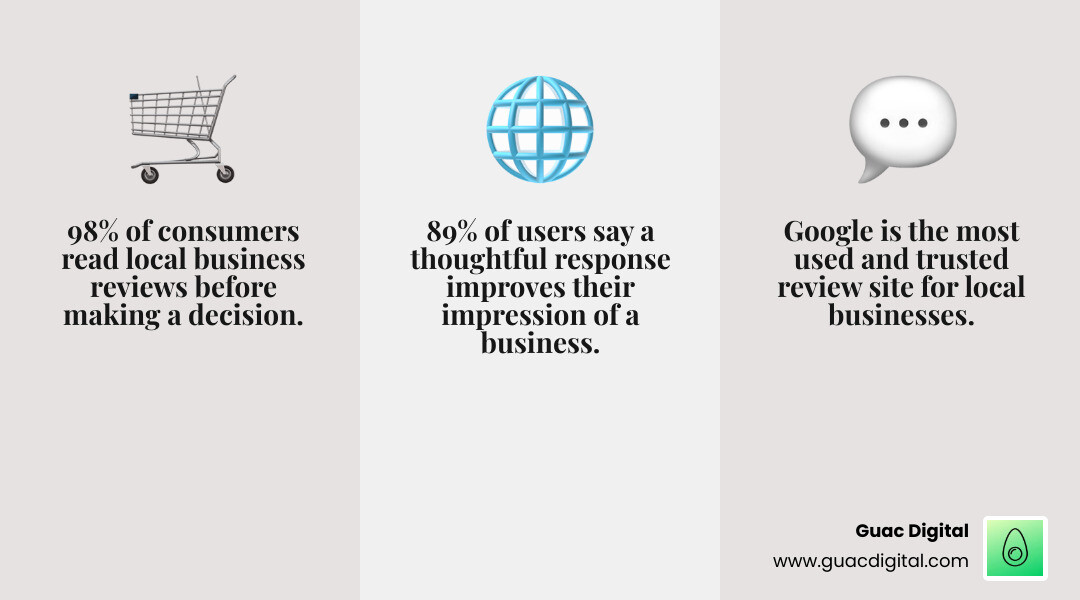
With 98% of consumers reading reviews of local businesses before visiting, your online reputation is critical. Your Google reviews act as your digital storefront. Star ratings and comments are often the first impression, and negative reviews can drive customers to competitors, while positive ones build trust and sales.
The good news is you have more control than you think. While you can’t delete every negative review, smart management strategies can influence their impact.
Google was the most used and trusted review site in 2022, making your Google Business Profile a valuable marketing asset. Crucially, 89% of users said a thoughtful response to a negative review improved their impression of a business. This means negative feedback can become an opportunity to showcase your customer service.
I’m Guy Leon, founder and CEO of Guac Digital. We’ve helped countless businesses turn reputation challenges into growth opportunities. I’ve learned that knowing how to manage bad Google reviews effectively can transform your biggest concerns into your strongest competitive advantages.
Important how to manage bad google reviews terms:
- do managers of a google listing receive review notifications
- google review management concepts
- google reviews reputation management
The First Step: Can the Negative Review Be Removed?
When you get a negative review, the first step is to check if it violates Google’s policies. Google only removes reviews that break specific rules, not just ones you dislike. Google’s policies ensure reviews are trustworthy, protecting both businesses and consumers. Understanding these rules is the first step in managing bad reviews.
Google’s automated systems aren’t perfect; they can miss violations or flag legitimate reviews. This makes knowing the reporting process crucial. For a complete overview, see Google’s Review Policy.
Understanding Google’s Prohibited Content Policies
Google’s policies cover a range of violations that make reviews eligible for removal. Here’s what gets reviews removed:
- Spam and fake content is the largest category, including fake, duplicate, or bot-generated reviews. In 2022, over 50% of consumers spotted fake reviews on Google.
- Off-topic reviews are unrelated to the customer experience with your business, such as complaints about parking.
- Conflict of interest includes reviews from employees (current or former), competitors, or anyone with a financial stake. Report suspected competitor reviews under this category.
- Offensive content includes hate speech, profanity, or discriminatory language.
- Dangerous and derogatory content covers anything that incites violence or promotes discrimination.
- Other violations include restricted content (alcohol, gambling), illegal content, terrorist content, sexually explicit material, and impersonation.
Google’s spam detection can miss violations or flag legitimate reviews, so understanding the reporting process is vital. Our guide on How to Effectively Remove Negative Reviews from Google offers advanced strategies.
How to manage bad Google reviews that violate policy: A Step-by-Step Guide
Once you identify a violation, report it. The process is straightforward, though the reporting option’s location varies.
- From your Google Business Profile dashboard: Go to the Reviews section, find the review, click the three-dot menu, and select “Report review.” Choose the most accurate violation reason.
- Via Google Maps: Search for your business, find the review, and use the three-dot menu to flag it.
- Through Google Search: Find your Business Profile in search, click Reviews, locate the review, and use the three-dot menu to report it.
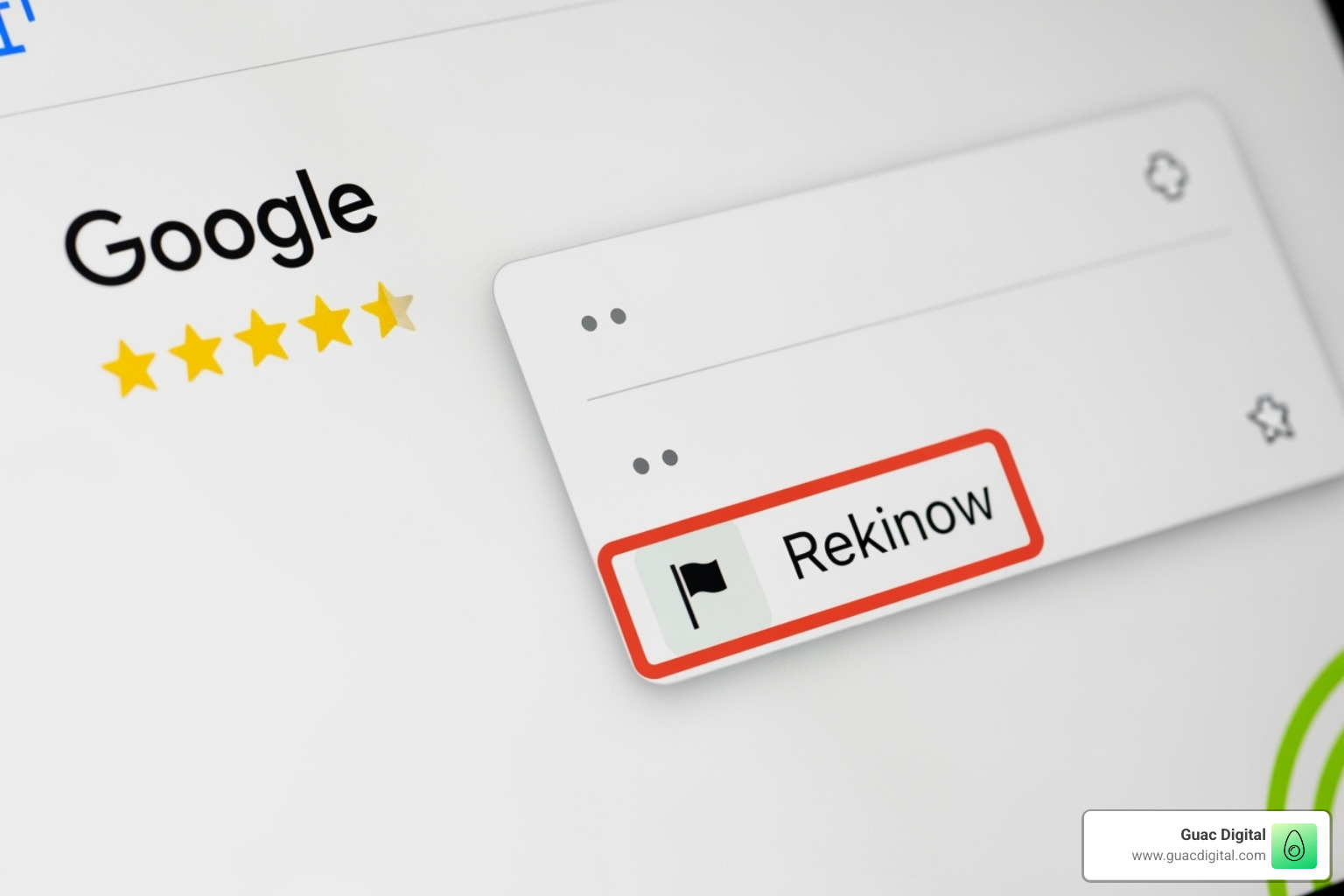
Critically, choose the most accurate violation reason. Specificity helps Google’s team understand the violation. Google won’t remove reviews based on customer-business disputes, only policy violations.
Using the Reviews Management Tool to Track and Appeal
After reporting, use the Reviews Management Tool in your Google Business Profile dashboard to track its status. The tool shows statuses like Decision pending, Report reviewed – no policy violation, or Escalated.
If Google doesn’t remove the review, you get one opportunity to appeal. Use this to provide more context and evidence. The appeal process lets you select up to 10 reviews and provide detailed explanations. Be specific, factual, and concise.
If a report is stuck in “Decision Pending,” contacting Google Support or posting in the Google Business Profile Community Forum can help escalate the issue. For more details, see our guide on How to Remove Bad Reviews from Google My Business | Remove Negative Reviews Posted by Others.
What About Legitimate Reviews That Disappear?
Sometimes, legitimate positive reviews disappear, usually due to errors in Google’s automated spam detection. These are called false positives.
If you notice missing reviews, wait a few days, as the system might self-correct. If they don’t reappear, contact Google Business Profile support with any details or screenshots you have.
While working to recover reviews, continue encouraging new authentic reviews from satisfied customers to show your profile is active. This can be frustrating, but our Missing Google Reviews: A Step-by-Step Recovery Guide offers comprehensive strategies.
The Art of the Response: Engaging with Reviews You Can’t Remove
When a negative review can’t be removed, don’t panic. This is your opportunity to shine in front of a broad audience, not just the original reviewer.
A thoughtful response can be a powerful marketing tool: 89% of users said a thoughtful response to a negative review improved their impression of a business, and 90% believe it shows the owner cares. A Harvard Business Review study shows responding improves ratings, and we’ve seen this at Guac Digital. When you respond with empathy and professionalism, you build trust and show commitment to customers.
Your response is for all potential customers who will read it. How you handle criticism can turn skeptics into customers. This approach is key to our strategy to Boost Your Online Presence with Professional SEO Services, as reviews directly impact local search rankings.
How to manage bad Google reviews that are legitimate
When facing a legitimate negative review, your response must be strategic. You’re speaking to everyone who will see that review.

Effective management of bad Google reviews hinges on timing and tone. Respond quickly, ideally within 24-48 hours.
- Acknowledge their experience with empathy. Phrases like “We’re truly sorry to hear about your experience” validate their feelings.
- Offer a sincere apology that their experience didn’t meet expectations.
- Address the specific issue briefly without getting defensive.
- Focus on action and solutions. Explain the steps you’ll take to prevent future issues.
- Take the conversation offline by providing a direct contact method like an email or phone number.
- Thank them for their feedback to show you value input that helps you improve.
The Anatomy of a Perfect Response: Do’s and Don’ts
A great response balances empathy and professionalism. Here’s a breakdown of what works:
| Elements to Include (Do’s) | Elements to Avoid (Don’ts) |
|---|---|
| Personalization: Use their name and reference specific details from their review | Excuses: Don’t justify poor service or make excuses |
| Apology: Offer a sincere apology for their experience | Blame: Never blame the customer or throw employees under the bus |
| Solution: Focus on what you’ve done or will do to fix things | Jargon: Skip industry terms that confuse readers |
| Contact Info: Provide a direct way to reach you offline | Arguments: Don’t get defensive or argumentative |
Personalization is crucial; generic responses feel fake. Empathy shows you understand, and solution-oriented language shows commitment. Timeliness also matters. Keep responses concise, professional, and never pressure them to remove the review, as this can backfire and violate Google’s policies.
Response Templates for Common Scenarios
Many negative reviews follow common patterns. Use these templates as a starting point to respond quickly, but always personalize them.
- For service issues: “Dear Jane, We’re truly sorry about the mix-up with your appointment. We understand how frustrating this must have been, and we sincerely apologize. We’re actively reviewing our booking process to prevent this from happening again. Please contact us at manager@examplebusiness.com so we can make this right. Thank you for your feedback.”
- For misunderstandings: “Dear John, Thank you for your feedback. We’re sorry your experience wasn’t satisfactory. We’ve reviewed our records and can’t locate details about the service issue you mentioned. Could you please reach out to us at support@examplebusiness.com so we can investigate? We appreciate the chance to resolve this.”
- For suspected fake reviews: “Dear Alex, Thank you for your review. We’re sorry to hear about your experience, but we have no record matching your visit details. It’s possible you’re reviewing a different business. If you believe this is an error, please contact us at info@examplebusiness.com and we’ll be happy to clarify.”
The goal is to show future customers that you handle problems professionally.
Proactive Reputation Building: Drowning Out the Negative with the Positive
The best defense against negative reviews is a flood of positive ones. While managing bad reviews is key, focus on generating authentic positive feedback. One bad review among fifty great ones has far less impact than one bad review out of five.
A steady stream of positive reviews builds trust, boosts local search rankings, and gives customers confidence. This proactive approach is a cornerstone of our Local SEO for Small Business services. Interestingly, a profile with only 5-star reviews can look suspicious. A mix of 4- and 5-star reviews adds authenticity. The goal is overwhelming positivity, making negative feedback an outlier.
How to Ethically Encourage More Positive Reviews
The best way to get reviews is to weave the request naturally into the customer experience.
- Timing is everything. Ask for a review right after delivering excellent service when the customer is happiest.
- Make it easy. Provide a direct link to your Google review page via email, text, or a QR code on your business card.
- Follow up thoughtfully. Build review requests into post-service communications, like a friendly email or SMS.
- Train your team. Empower staff to ask satisfied customers for a review. A simple, “I’m so glad you had a great experience! Would you mind sharing that in a quick Google review?” works wonders.
- Respond to positive reviews. Acknowledging positive feedback shows appreciation and encourages others to leave reviews.
- Never gate your reviews. Don’t filter customers by sending unhappy ones to private forms. This violates Google’s guidelines and looks suspicious. Ask everyone for feedback to maintain authenticity.
The Unethical Dark Side: Tactics to Avoid
Some reputation management tactics promise quick fixes but can have devastating consequences. Here’s what to avoid.
- Buying fake reviews is a business killer. The Federal Trade Commission is proposing new rules to prevent fake reviews, with potential fines of up to $50,000 per review. They are often obvious to consumers and Google, leading to profile suspension and irreparable reputational damage.
- Mass reporting legitimate reviews is an abuse of the reporting system that can backfire and trigger manual reviews of your profile.
- DMCA abuse involves filing false copyright claims against reviews. This is fraudulent and illegal.
- Review gating creates a dishonest representation of your service quality and violates Google’s terms of service.
The consequences are severe, including Google penalties, legal action, and public backlash that can destroy your reputation. At Guac Digital, we believe in building authentic, sustainable reputations. This ethical approach is fundamental to What Does a Digital Marketing Agency Do? when done right.
Frequently Asked Questions about Managing Bad Google Reviews
Here are answers to the most common questions we get at Guac Digital about managing online reputations, along with practical advice.
How long does it take for Google to remove a flagged review?
The honest answer is: it depends. Patience is key during Google’s review process. Google usually takes several days to evaluate a report. It can be as fast as 24 hours for clear violations or over a week, depending on the case’s complexity and Google’s workload.
Use the Reviews Management Tool in your Google Business Profile to track the report’s status. If a report is in “Decision pending” for more than a week, contact Google Business Profile support directly to move things along.
Can I ask a customer to delete their bad review?
Yes, you can ask a customer to delete a bad review, but the key is how and when you ask.
First, resolve their problem completely. Only then, once they are satisfied, can you politely suggest they update their review to reflect the resolution. For example: “We’re so glad we could resolve this for you. If you feel your concerns have been addressed, we’d be grateful if you’d consider updating your review.”
Never offer incentives or pressure them, as this violates Google’s terms of service. The decision must be theirs. Even if they don’t change the review, you’ve still turned an unhappy customer into a satisfied one.
What should I do if a competitor is leaving fake negative reviews?
Competitors leaving fake reviews is a frustrating but common problem. Google has policies against this, and you can take action.
- Investigate and document. Look for patterns, like reviews from new accounts that praise your competitors. Take screenshots and note dates.
- Report the review correctly. When reporting, choose “Conflict of interest” as the reason. This signals to Google that a competitor may be involved.
- Report the user profile. Click the reviewer’s name to see their profile, then report the user for inappropriate content. This can trigger a broader investigation into all their reviews.
- Escalate if needed. If reporting doesn’t work, post in the Google Business Profile Community Forum. Product Experts there can sometimes escalate cases.
- Respond professionally. While waiting, post a public response like: “We have no record of serving a customer by this name and suspect you may have us confused with another business. Please contact us directly if you believe this is an error.” This signals to potential customers that the review may be fake without starting a public fight.
Take Control of Your Online Reputation
Managing Google reviews isn’t as daunting as it seems. Every review, positive or negative, is a chance to showcase your professionalism and gratitude. It’s all about perspective.
How to manage bad Google reviews is about building relationships, not just fighting fires. At Guac Digital, we help Tampa businesses and global clients turn review challenges into advantages using the same data-driven approach as our programmatic marketing campaigns.
The secret is simple: proactive management is better than reactive panic. By following Google’s policies, responding thoughtfully, and encouraging genuine feedback, you build the trust that turns browsers into buyers.
89% of users improve their opinion of a business when they see thoughtful responses to negative reviews. Your worst review can become your best marketing tool.
Businesses transform their reputations by treating all feedback as valuable intelligence. They learn from complaints and celebrate praise, which improves their ratings and makes them a better business.
Ready to turn your Google Business Profile into a trust-building machine? Our team at Guac Digital specializes in creating personalized strategies for your unique situation.
Let’s boost your local presence with our Local Booster services and ensure every Google review works in your favor. When you control your online reputation, you build the future of your business, one satisfied customer at a time.