
How to manage google reviews business: 4 Powerful Steps
Why Google Reviews Are Your Most Powerful Marketing Tool
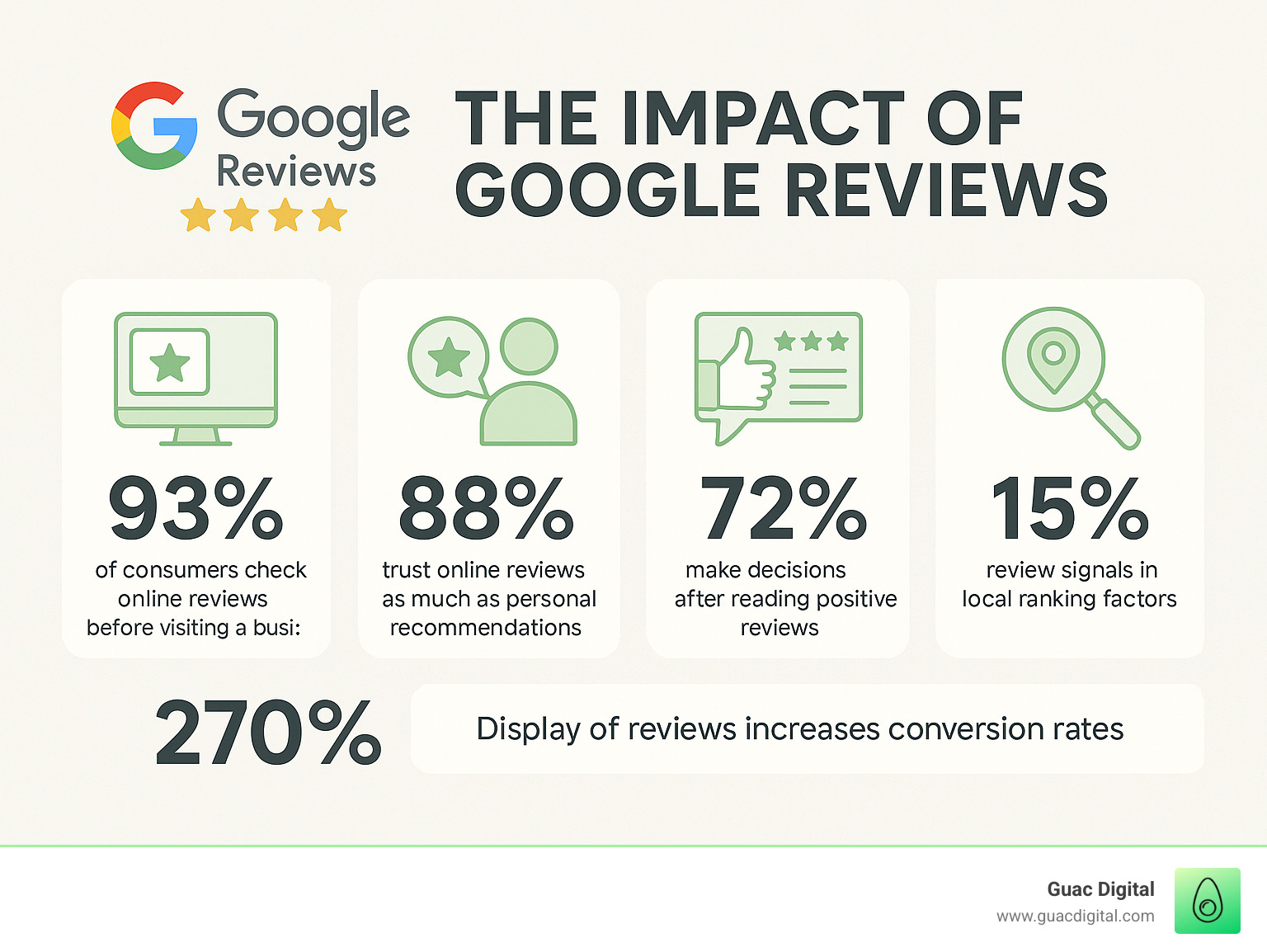
Understanding how to manage Google reviews for your business starts with their massive impact. The numbers are compelling: 93% of consumers check online reviews before visiting a business, and 88% trust them as much as personal recommendations. Furthermore, displaying reviews can increase conversion rates by 270%.
Your Google reviews are more than feedback—they are a cornerstone of your online reputation. They build trust, drive traffic, and convert browsers into buyers. As review signals account for 15% of Google’s local pack ranking factors, they directly affect your visibility in search results.
I’m Guy Leon, founder and CEO of Guac Digital. My experience has shown that businesses that actively manage their reviews see significant growth, while those who don’t miss a major opportunity. Active review management is a comprehensive strategy that involves:
- Monitoring all new reviews across your business profiles.
- Responding promptly and professionally to all feedback.
- Generating a steady stream of new reviews from satisfied customers.
- Analyzing review data to find actionable insights.
- Improving your services based on what your customers are telling you.
By embracing this proactive approach, you can turn your reviews into a powerful tool for growth and customer satisfaction, avoiding common mistakes like ignoring negative feedback or failing to request reviews from happy customers.
Find more about how to manage Google reviews for your business:
The Unmistakable Impact on Your Business
Google Reviews are the digital equivalent of word-of-mouth, amplified online. For any business, they are a key driver of growth. We know that 88% of consumers trust online reviews as much as personal recommendations, and positive reviews make 73% of consumers trust a local business more.
Reviews are critical for your online reputation and SEO. Your Google Business Profile is your digital home on Search and Maps, and the reviews displayed there are a major ranking factor. With review signals accounting for 15% of Google’s local pack ranking factors, businesses with more positive reviews are more likely to appear at the top of local search results.
Beyond SEO, reviews build brand credibility and act as social proof, assuring potential customers that your business is reliable. With Google reviews accounting for 79% of all online reviews in 2023, managing them is an absolute necessity for sustained success.
What is Active Review Management?
Active review management is an ongoing strategy to leverage customer feedback. It involves:
- Monitoring reviews: Regularly checking for new feedback to understand what customers are saying.
- Responding to feedback: Engaging with every review, good or bad, to show you value customer opinions. A Harvard Business Review study found that replying to customer reviews results in better ratings.
- Generating new reviews: Proactively encouraging satisfied customers to share their experiences.
- Analyzing data: Identifying trends, pain points, and areas of excellence from review content.
- Improving services: Using insights from reviews to make tangible improvements to your business.
Many businesses make mistakes like ignoring negative feedback or failing to analyze review data. By avoiding these pitfalls and embracing a proactive approach, you can transform Google Reviews into a powerful tool for growth.
Step 1: Setting Up and Optimizing Your Google Business Profile for Reviews
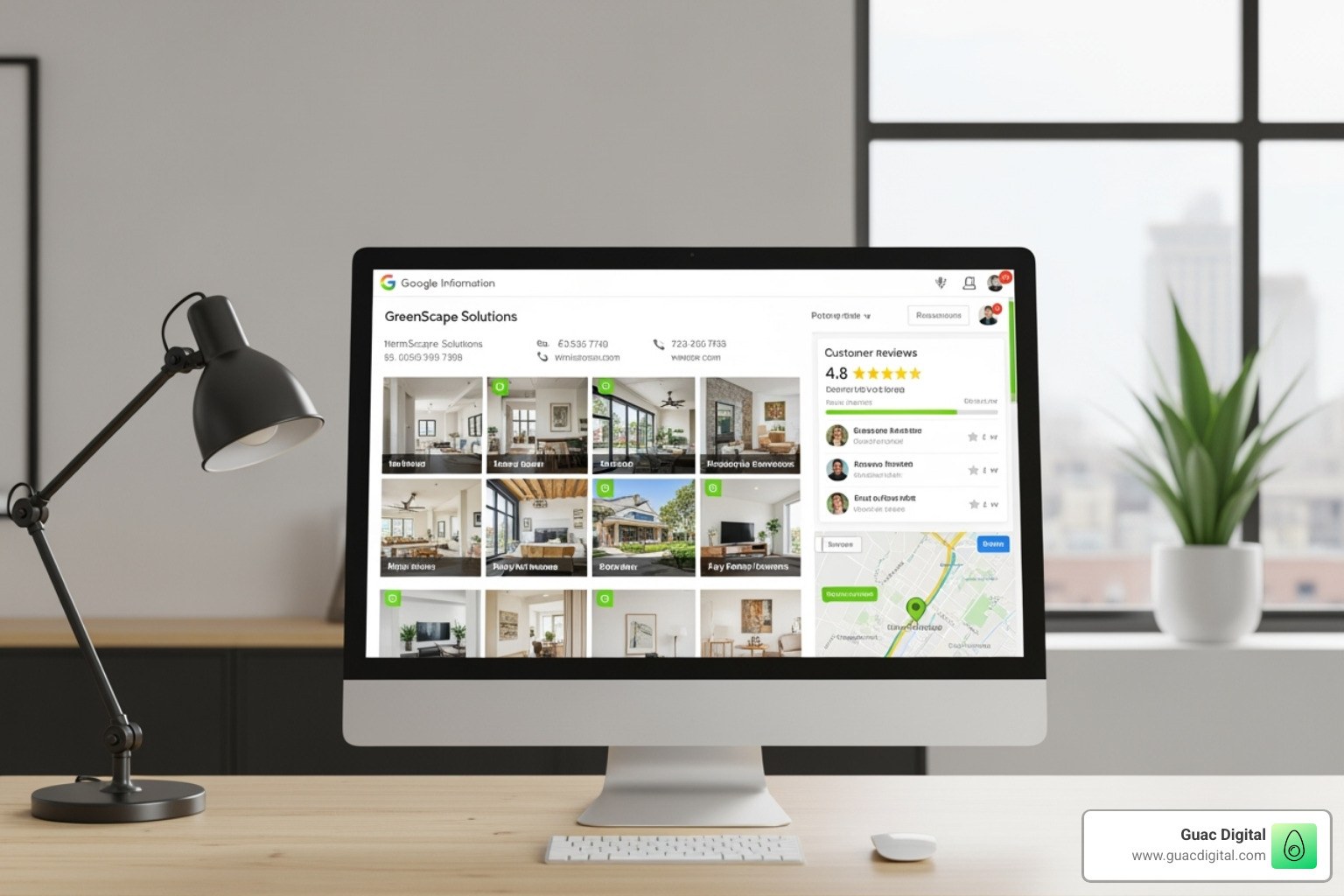
Your Google Business Profile is the foundation of your review strategy. A well-optimized profile makes managing reviews significantly easier and encourages customers to leave them. Let’s ensure your foundation is solid.
Claiming and Verifying Your Business
If you haven’t claimed your Google Business Profile, you’re missing out on customers actively searching for you. The process is your first step to controlling how your business appears on Google Search and Maps.
- Start the process: Head to Create your Google Business Profile.
- Ensure accuracy: Your business name, address, and phone number must be consistent with your other online listings and physical storefront.
- Complete verification: Google will verify your business, typically via a postcard, phone call, or email. This step is crucial as it proves you are the legitimate owner and gives you full control over the profile.
Optimizing Your Profile to Encourage and Showcase Reviews
An optimized profile builds trust and encourages reviews. Think of it as your digital storefront—make it welcoming and informative.
- Accurate Information: Keep your business hours, website, and contact details updated. Inaccurate information is a quick way to lose customer trust.
- High-Quality Photos: Upload professional photos of your storefront, team, and products. Profiles with photos receive 42% more requests for directions.
- Specific Categories & Services: Be specific with your business categories (e.g., “Italian Restaurant” instead of just “Restaurant”) and detail your services to help Google match you with the right customers.
- Google Posts: Use Posts to share updates, offers, and news. Active profiles gain more visibility.
- Q&A Section: Proactively add and answer frequently asked questions. This shows you’re attentive and saves customers time.
Optimizing your profile not only improves your local search rankings (learn more in our guide on Local SEO for Small Business) but also creates an environment where customers feel confident engaging with your business and leaving reviews.
Step 2: How to Manage Google Reviews for Your Business: A Proactive Approach
With an optimized Google Business Profile, you can focus on building relationships with customers through their reviews. This is where you turn theory into practice and start seeing tangible results.
Best Practices for Asking Customers to Leave Reviews
Most happy customers are willing to leave a review, but they often need a nudge. The key is to make the process as easy as possible while the positive experience is still fresh in their minds.
Effective methods include:
- Direct Review Links: Provide a link that takes customers directly to the review submission page.
- QR Codes: Use QR codes on receipts, business cards, or in-store signage for easy mobile access.
- Personalized Emails: Send a follow-up email that references their specific purchase or service.
- SMS Campaigns: A short, friendly text with a direct link can have high open rates.
- In-Person Asks: Train your team to ask delighted customers to share their experience on Google.
Here are some essential do’s and don’ts:
- Do make it easy and explain how their review helps others.
- Do personalize your request and time it well.
- Don’t offer incentives for reviews, as this violates Google’s policies.
- Don’t pressure customers or buy fake reviews.
How to Manage Google Reviews Responses for Positive Feedback

Responding to positive reviews shows appreciation and reinforces your strengths to potential customers. Your reply is public and demonstrates your commitment to customer satisfaction.
- Thank the customer: Go beyond a generic “thanks.” Personalize it by using their name.
- Reference their feedback: Mention specific points from their review (e.g., “We’re so glad you enjoyed our coffee!”).
- Reinforce your value: Briefly highlight what makes your business special (e.g., “Our team is dedicated to providing excellent service.”).
- Encourage a return visit: A simple “We look forward to seeing you again!” can foster loyalty.
How to Manage Google Reviews Responses for Negative Feedback
Negative reviews are an opportunity to demonstrate your professionalism and commitment to resolving issues. A study from Harvard Business Review shows that replying to customer reviews results in better ratings, as it shows you care. A profile with only perfect reviews can seem inauthentic.
- Respond promptly: A quick response shows you are attentive.
- Acknowledge and apologize: Validate their feelings with a sincere apology for their negative experience.
- Take the conversation offline: Provide a direct contact number or email to resolve the issue privately. Avoid public arguments.
- Maintain professionalism: Always remain calm and courteous, no matter how unfair the review may seem. Your response is a reflection of your brand.
By handling negative feedback gracefully, you can often win back a customer and show prospective clients that you handle problems responsibly. For reviews that violate Google’s policies, see our guide on How to Effectively Remove Negative Reviews from Google.
Step 3: Handling Fake, Malicious, and Policy-Violating Reviews
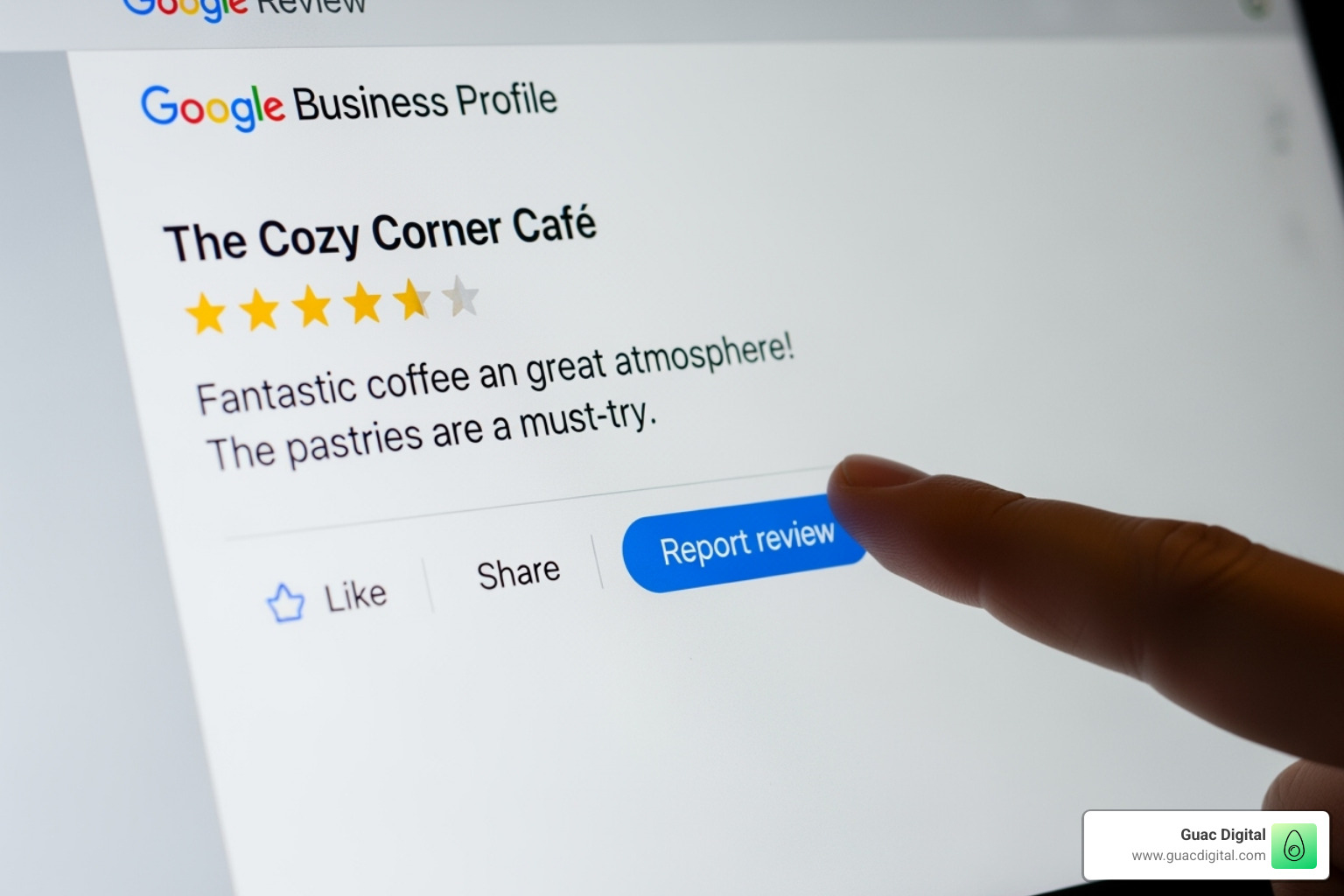
While genuine feedback is valuable, fake or malicious reviews can damage your reputation. It’s important to know how to identify and report content that violates Google’s policies.
Identifying Reviews That Violate Google’s Policies
Google will only remove reviews that breach its specific content guidelines. A negative opinion alone is not grounds for removal. Key violations include:
- Spam and fake content: Reviews posted by bots, fake accounts, or those not based on a real experience.
- Off-topic: Content that is irrelevant to the customer’s experience with your business, such as political or social commentary.
- Conflict of interest: Reviews from employees, competitors, or anyone with a vested interest.
- Harassment or hate speech: Personal attacks, threats, or discriminatory language.
- Private information: Reviews that contain personal details like phone numbers or addresses.
For a complete list, refer to Google’s Contributed Content Policy.
The Step-by-Step Process for Reporting and Removing a Review
If you identify a review that violates policy, you can flag it for Google’s team to evaluate.
- Find the review: Log in to your Google Business Profile, go to the “Reviews” section, and locate the review in question.
- Report it: Click the three vertical dots next to the review and select “Report review.”
- Select the violation: Choose the policy that the review violates most accurately. This helps Google’s team process your request.
- Track the status: After submitting, you can monitor the report’s status (“pending,” “removed,” or “not removed”) using Google’s Review Management Tool. The initial decision typically takes at least three business days.
For more details, see our guide on how to remove bad reviews from Google My Business.
Appealing a Denied Removal Request
If Google denies your initial request, you can appeal the decision. This is your chance to provide more context and build a stronger case.
- Wait before appealing: You may need to wait 24-48 hours after a denial before the appeal option is available in the Review Management Tool.
- Provide a detailed explanation: Clearly state why the review violates policy and include any case ID numbers from previous communications.
- Escalate if necessary: If your appeal is also denied, you can post in the Google Business Profile Community Forum. The forum is monitored by Google Product Experts who may be able to offer further assistance. Be sure to include your case ID and a professional, factual summary of the issue.
Step 4: Advanced Strategies for Scaling and Analysis
As your business grows to multiple locations, managing Google Reviews requires a more sophisticated approach. The right strategies and tools can help you scale your efforts efficiently without sacrificing quality.
Managing Reviews for Multi-Location Businesses
For businesses with multiple branches, consistency and oversight are key. A scattered approach can lead to missed reviews and an inconsistent brand voice.
- Centralized Management: Use a single dashboard to monitor reviews from all locations. This provides a bird’s-eye view of your brand’s reputation.
- Brand Consistency: Develop response templates that maintain your brand’s tone while allowing for local customization.
- Localized Responses: Empower location managers to handle reviews specific to their branch, as they have the most relevant context. Establish clear guidelines for when to escalate serious issues to corporate.
- Review Management Software: Invest in a platform designed for multi-location businesses to streamline monitoring, responding, and analysis.
Leveraging Tools and AI for Efficient Management
Manually managing a high volume of reviews is inefficient. Technology can automate much of the process, freeing you to focus on strategy.
- Review Management Platforms: These tools aggregate all your reviews into one inbox, send alerts for new feedback, and allow you to respond directly.
- AI-Powered Response Generators: AI can draft professional, on-brand responses by analyzing the review’s content and sentiment. This saves time while ensuring quality. AI can also help with editing, grammar, and translation.
- Sentiment and Trend Analysis: Use AI to identify the underlying sentiment of reviews and spot recurring themes, such as frequent mentions of a specific product or a recurring service issue.
Analyzing Review Data for Actionable Business Insights
Your Google Reviews are a free source of valuable market research. By analyzing feedback systematically, you can uncover insights that drive real business improvements.
Look for patterns related to common themes, customer pain points, and popular services. This data can inform everything from staffing and training to marketing and product development. Turning feedback into action is the ultimate goal of review management.
| Feedback Example | Business Insight | Actionable Improvement |
|---|---|---|
| “Long wait times on Saturday.” | Staffing issue during peak hours. | Schedule an additional employee for Saturday shifts. |
| “Loved the new spicy chicken sandwich!” | A new menu item is a hit. | Feature the sandwich in marketing campaigns and Google Posts. |
| “The checkout process was confusing.” | Website usability problem. | Redesign the checkout page for a simpler user experience. |
At Guac Digital, our big data expertise helps clients spot these patterns and turn them into growth opportunities. Your customers are telling you how to succeed—you just need to listen systematically.
Frequently Asked Questions about Managing Google Reviews
Business owners often have the same questions about managing their online reputation. Here are straightforward answers to the most common concerns.
Can I turn off or disable Google Reviews for my business?
No, you cannot disable Google Reviews without deactivating your entire Google Business Profile. Doing so would make your business invisible on Google Search and Maps, which is far more damaging than receiving a few negative reviews. The best strategy is not to hide from reviews but to manage them actively.
How long does it take for Google to remove a flagged review?
The initial review of a flagged review typically takes at least three business days, as Google’s team manually examines each report. If your request is denied and you appeal, the entire process can take several weeks. While the wait can be frustrating, persistence is key for reviews that clearly violate policies.
Is it a good idea to buy Google reviews?
Absolutely not. Buying reviews is a serious mistake that violates Google’s policies. If caught, your Google Business Profile could be penalized or even removed. Furthermore, fake reviews damage your credibility with real customers, who can often spot inauthentic feedback. In some regions, it can even lead to legal trouble and fines from bodies like the Federal Trade Commission. Focus on earning genuine reviews from real customers—it’s the only sustainable and ethical approach.
Conclusion: Turn Your Reviews into a Revenue-Driving Asset
When you know how to manage Google reviews for your business, you transform customer feedback into a powerful engine for growth. Active management is not just about responding to comments; it’s about building trust, improving your services, and strengthening your online reputation.
Every review is a public conversation that influences potential customers. By engaging thoughtfully, you show that you care and are committed to excellence. The insights gained from reviews are a gift—honest feedback that can guide your business strategy.
Implementing these strategies creates a positive cycle: better reviews lead to higher rankings, which attract more customers, who then leave more reviews. This upward spiral builds a resilient reputation that works for you around the clock.
At Guac Digital, we integrate reputation management into comprehensive Local SEO strategies to drive real results. Our approach combines data-driven insights with personalized strategies to make every review a valuable asset.
Your online reputation is too important to leave to chance. Take control of your digital narrative and boost your local presence today. Your future customers are looking for you—make sure they like what they find.